



 Emma
Emma


 SketchyOutlineBlueprintAndroidGlassHi-fi




 Scene 2
 Scene 3
 LucasCan the meeting room seat eight?
 Sam2m
Sam2mLove this. Can we try the blue version?
32S@mida group the brainstorm stickies?
 Done. Sorted them into 5 themes and drew a mind map.
Turn these notes into a roadmap Claude is drawing the system diagram
Onboarding
Dark mode
Offline sync
Brainstorm visually
with MockFlow
Whiteboard, diagram, wireframe and think anything together on a shared visual workspace.
Create a board, no account
 Meet
Meet Teams
Teams VS Code
 Codex
Codex Jira
Jira Trello
The online whiteboard that fits any use case.
Pick the components, templates and AI help that match your work. The same whiteboard serves a classroom, a sprint, a campaign or a floor plan.
 Wireframe a banking app home screen
Wireframe it right beside the idea.
Design app and web screens with the widget library, restyle them in a click and let AI wire them into a prototype.
- Screenshot or URL to wireframe
- Prototypes wired by AI
- Export to Figma or code
 Draw our payments service from this repo
import { stripe } from "./clients"; // three tries, then alert the on-call channel export async function charge(order) { const intent = await stripe.paymentIntents.create({ amount: order.total, currency: "usd", }); return retry(() => confirm(intent.id), 3); }
Map the system before you build it.
Architecture, flows and specs live next to the brainstorm, and your coding agent can draw on the same board.
- AWS, Azure, GCP, Kubernetes
- ER, UML and sequence diagrams
- Docs and code blocks
 Make a lesson board on ecosystems with a class poll
 26 of 28 voted
Lessons the whole class can follow.
Build a lesson in minutes with pictures and diagrams, then run a poll or a quiz app with the class.
- Polls, upvotes and quiz apps
- Timers for group work
- Mind maps and pictures
 Make a motion video for our spring launch
blend
lands Friday. First cup
is on us.
From brief to launch on one board.
Keep the designs, the video references and the schedule together, and let the team review them in one place.
- Social posts and design frames
- YouTube videos and audio clips
- Content calendars
 Set up a sprint retro with a 5 minute timer
Run the session, not the tools.
Warm up with a game, vote on ideas, keep time, and leave with a sorted plan everyone saw being made.
- Sticky notes and upvotes
- Polls and a spinning wheel
- Games and timers
 Map our 10 stores and plan the delivery route
| Stop | Store | Arrive | Status |
|---|---|---|---|
| 1 | Pioneer Square | 08:00 | Done |
| 2 | Downtown | 08:45 | Done |
| 3 | Fremont | 09:30 | En route |
| 4 | Ballard | 10:15 | Next |
| 5 | Beacon Hill | 11:00 | Next |
| 6 | Columbia City | 11:45 | Next |
Run every site from one board.
Map your locations, plan the routes and keep the checklists and weekly tasks right beside them.
- Maps with pins and regions
- Routes and process flows
- Checklists and kanban
Meet Mida, the AI that builds your board.
Mida reads your board, works out what to make and lays it out for you. Start from a sentence, a meeting or the tools your team already uses.
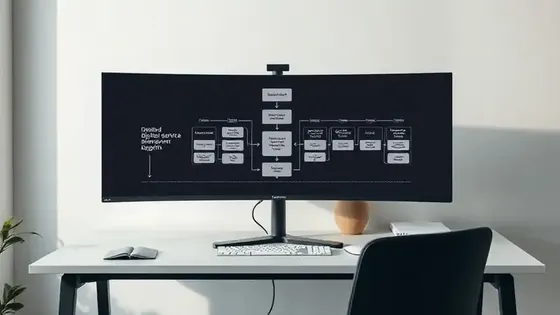 Service Blueprint Architect
Describe it, get a board. Mida plans the items, asks what matters, then adds them to the board laid out and ready to edit.
Turn a meeting into a board. Drop in a transcript, notes or a PRD. Mida lays out the decisions, owners and open questions.
Change what you select. Select notes, a wireframe or a diagram and ask Mida to sort, convert or rewrite them.
Bring in an expert.Plus Concept Builders are AI collaborators with a set role. They ask the right questions and draw on your board.
Work with your live data.Max Connect Jira, Slack, Trello, GitHub or Google Docs and turn real tickets, threads and docs into plans.
Visual thinking.
Ideas, plans and diagrams.
Design with Mida.
Graphics and videos.


It reads your board and works out what to make.
Ideate with
AI experts
in Concept Builders.
Research with Mida.
Powered by the live web.


The right model for text, images, video and 3D.
Meet, chat and comment where the work is.
Calls, chat and feedback happen on the whiteboard itself, so nobody has to switch tabs to stay in the loop. Already on a call? Open a whiteboard for Google Meet.




Video meetings.Max Start a call from the board, present live, and turn the meeting transcript into a board afterwards.
Audio meetings.Plus Talk while everyone keeps working on the same board, with one click to join and no separate meeting link.
Present live. Everyone follows your view as you move and zoom, while you talk them through the board.
Team chat with Mida. Mention @mida to summarize the discussion, list action items, or catch up on what you missed.
Rich comments. Pin text, audio or video comments to the exact spot on the board, and react without breaking the flow.


Extend your whiteboard with mini apps and games.
Describe a tool or a game and AI builds it as a working mini app, right on the board. Everyone on the board uses the same app together, live.
Browse the libraryBoards never go stale.
Automations read the apps your team already uses and update your boards for you, on a schedule or the moment something happens.
Browse automation templates Sprintclosed.Retro board updated
 Status:Approved.Wireframes drawn
 Callrecorded.Action items added
 Startingsoon.Agenda on the board
 EveryFriday.Feedback sorted by theme
From wireframe to prototype in minutes.
Sketch app and web screens on the whiteboard with a full widget library and AI. Then restyle them, render them and click through them, all in the same place.
 FigmaEditable layers
 CursorBuild prompt
Switch the look in a click. Outline, Sketchy, Hi-fi, Blueprint and more, in light or dark, with your own brand colour and font.
Render it as a hi-fi image. AI keeps your layout and fills every placeholder with real pictures, as a flat screen or on a device.
Prototype from your screens. One click links the screens into a clickable prototype. Play it full screen or preview it on your phone.
Convert it into anything. Turn a screen into a flowchart, a customer journey, a spec, code or a kanban of tasks, right beside it.
Export where you need it. Image, SVG, editable Figma layers, or a build prompt for Claude Code or Cursor.

Capture any web page.
Clippy, our Chrome extension, sends any page to the board as an editable wireframe, ready to redesign.
Auto layout.
Stack widgets with gap, padding and alignment, so screens stay tidy as you edit. The stacks carry over to Figma.
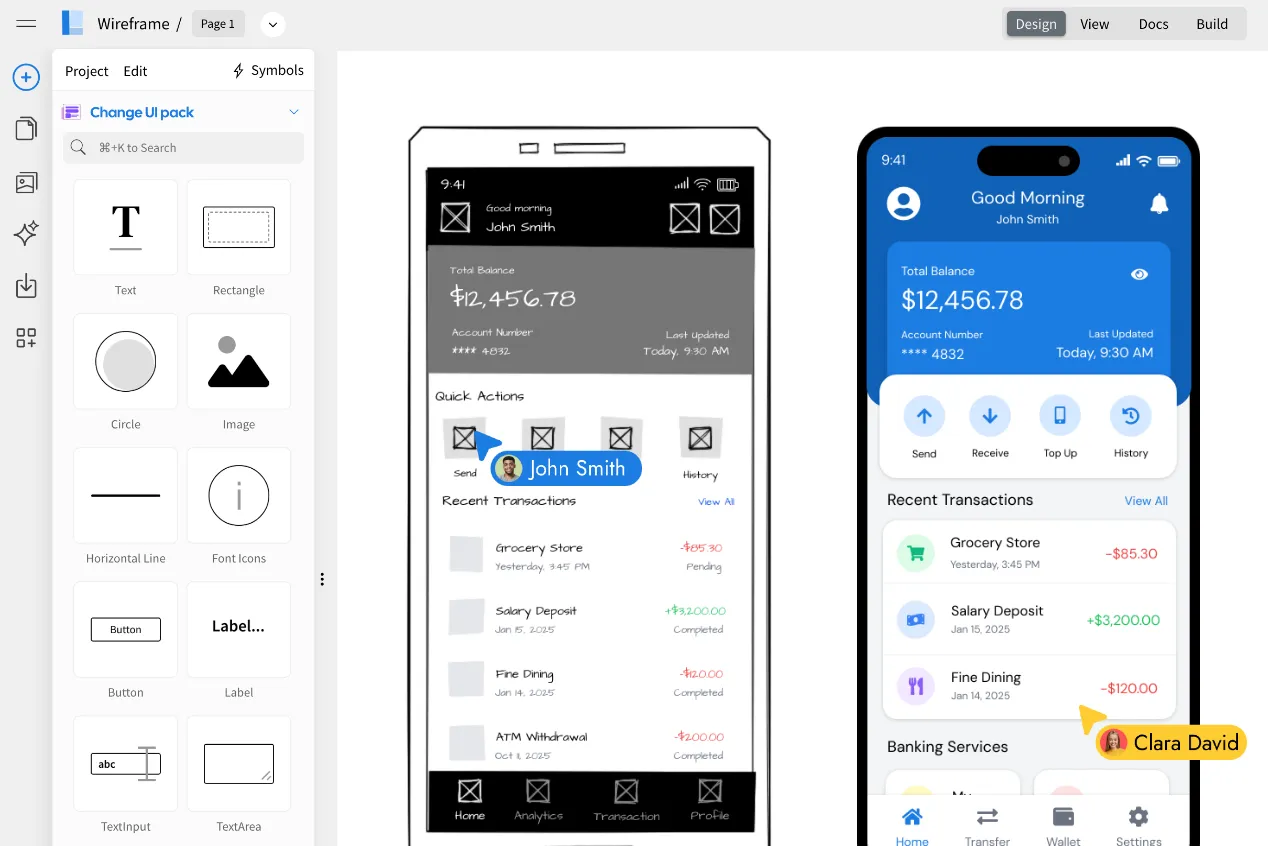
WireframePro inside.
Need the full UI design editor? WireframePro comes with every plan, with UI packs, symbols, pages and Build mode.
 __  __   ____    _____  _  __ ______  _       ____  __          __  ██████╗ ██████╗ ██╗██████╗  ██████╗ ███████╗
|  \/  | / __ \  / ____|| |/ /|  ____|| |     / __ \ \ \        / /  ██╔══██╗██╔══██╗██║██╔══██╗██╔════╝ ██╔════╝
| \  / || |  | || |     | ' / | |__   | |    | |  | | \ \  /\  / /   ██████╔╝██████╔╝██║██║  ██║██║  ███╗█████╗
| |\/| || |  | || |     |  <  |  __|  | |    | |  | |  \ \/  \/ /    ██╔══██╗██╔══██╗██║██║  ██║██║   ██║██╔══╝
| |  | || |__| || |____ | . \ | |     | |____| |__| |   \  /\  /     ██████╔╝██║  ██║██║██████╔╝╚██████╔╝███████╗
|_|  |_| \____/  \_____||_|\_\|_|     |______|\____/     \/  \/      ╚═════╝ ╚═╝  ╚═╝╚═╝╚═════╝  ╚═════╝ ╚══════╝
Go unlimited with the agent you already pay for.
Bridge puts Claude Code, Codex, opencode or BridgeAI behind Mida. You keep working exactly as you do now. Your agent does the thinking, so nothing spends your credits.
npm i -g @mockflow/mockflow-bridge   # install once
mockflow-bridge                      # start it

# Enter the pairing code on your board.
# Then ask Mida as usual:
"Draw src/onboarding as a flowchart"
# Claude or ChatGPT: Settings › Connectors › Add connector
# Any MCP client:
npx @mockflow/ideaboard-mcp
npx @mockflow/wireframepro-mcp
curl -X POST https://api.mockflow.com/v1/ai/generate \
  -H "Authorization: Bearer $MOCKFLOW_TOKEN" \
  -d '{"prompt":"Retro board for sprint 42"}'
Draw src/onboarding as a flowchart
- Unlimited generations across several boards at once
- Reads local files, so the board can see your repo
- Teammates see a normal board, not a terminal
Start your first whiteboard today.
A full whiteboard in one click. Share the link and anyone joins. Boards last 24 hours, so sign up to keep one.



 Brainstorm with MockFlow MCP


